Corsica: The Complete Travel Guide
Plan your trip to Corsica with our complete guide covering the best places to visit, outdoor activities, itineraries, practical tips and everything you need to know before you go.
Fill your quiet slots, boost bookings in low season and display a crossed-out price on your page, in just a few clicks from your back-office.
Welcome to Manawa, the website for booking outdoor activities around the world. From diving to canyoning, we connect adventure enthusiasts with professional local instructors to guarantee unforgettable experiences.
Available to all partners! Whether you manage your bookings manually, through API-connected software, or via automatic management, special offers are accessible to everyone directly from the back-office.
Do you have Mondays that never fill up? End-of-season slots that stay empty? Manawa special offers are the perfect tool to run a targeted discount over a specific period, on chosen days of the week, and automatically display a crossed-out price on your page.
This guide walks you through how to create, manage and get the most out of your promotions, entirely on your own.
Log in to backoffice.manawa.com, then go to the Activities tab. Select the relevant activity and look for the "Special offers" block.

Click Edit: you'll see your list of active promotions and the creation form.
✅ Available to everyone: Unlike seasons and stock management, special offers work for all partners, even if you use booking software connected via API. It's the universal marketing tool in your back-office.
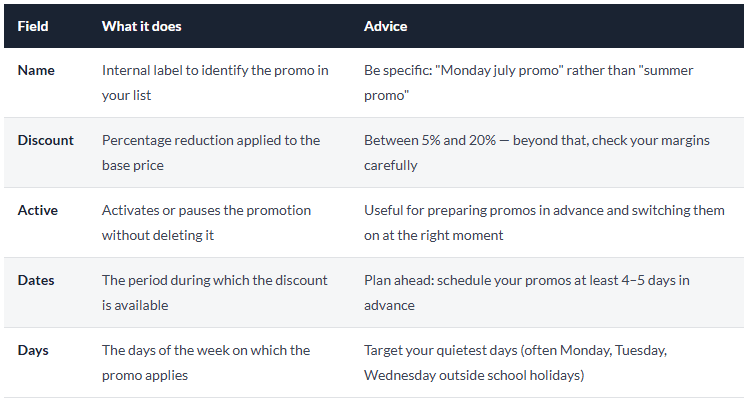
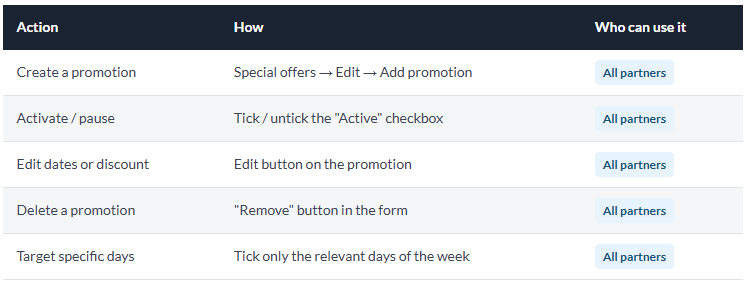
From the Special offers block, click "Edit" then "Add promotion" (or click directly on an existing promotion to edit it). The following form opens:
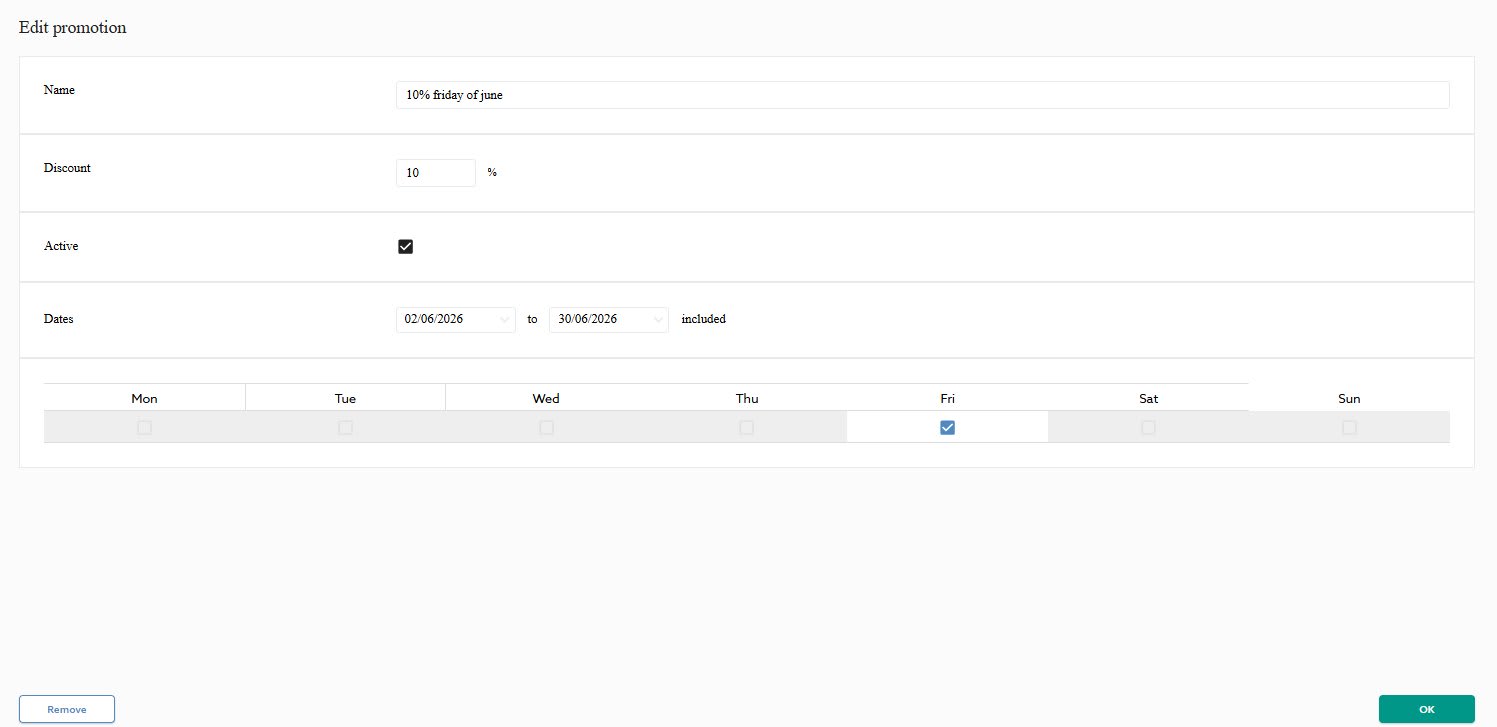
💡 Pro tip: If you want a promotion valid every day without exception, tick all 7 days. The discount will then apply across the entire defined period.
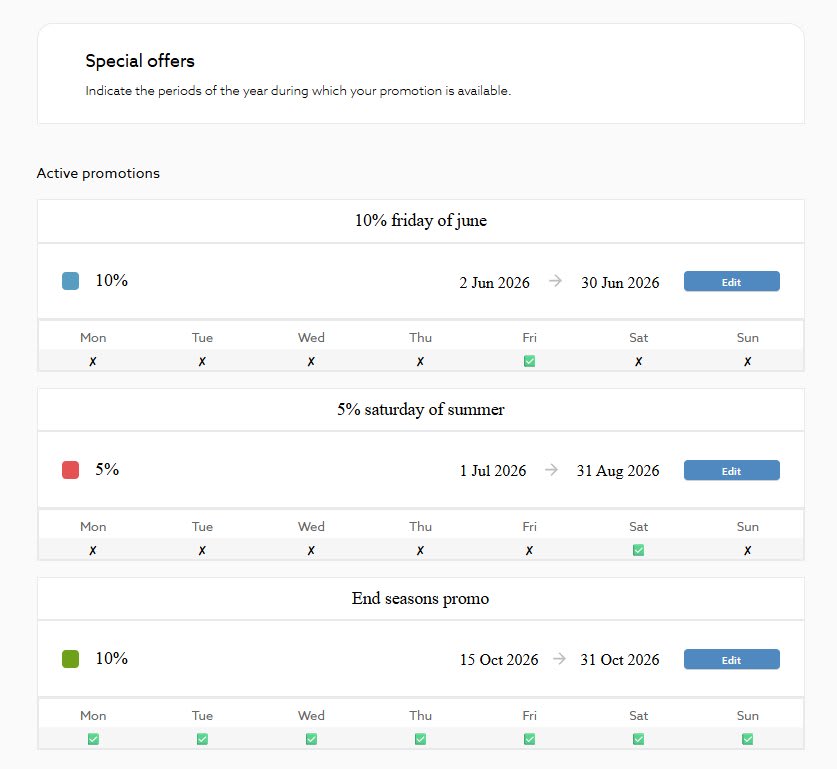
Once saved, your promotion appears in the active promotions list with a visual summary:
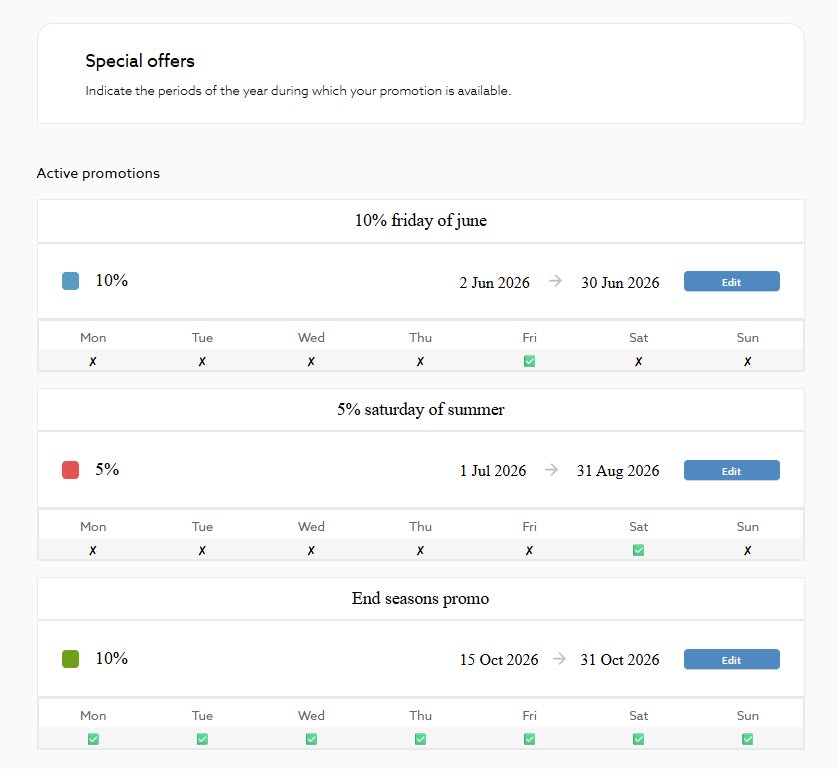
Here are some effective promotion ideas depending on your situation:
Apply -10% every Monday and Tuesday in July-August to attract customers on your typically slower days.
Set up a -15% promo for the last two weeks of October to extend your season and fill your final slots.
Quickly activate a small discount during low-demand days linked to weather. The "Active" checkbox lets you launch it in one click.
On a Wednesday for the weekend: activate a strong promo on Saturday–Sunday to fill the last available spots.
⚠️ Important reminder: In line with your Manawa contract, your prices after discount must remain consistent with your standard rates. Price parity applies to the base price, the promotion is a commercial gesture on your part.
Want to suspend a promo temporarily without deleting it? Simply untick the "Active" checkbox in the form and click OK. The promotion stays saved but is no longer visible to customers.
💡 Best practice: Prefer pausing (unticking "Active") over deleting if you think you might reuse the same promotion next year. You'll just need to update the dates and switch it back on.
Customers plan their outings in advance. A promo activated on Friday evening for Saturday morning will have little impact. Schedule at least 4 to 5 days before the target period.
Look at your booking history. If your Mondays and Tuesdays are consistently empty, focus your promos on those days rather than spreading the discount across the whole week.
Activate a promo on a slot you've set to "LIMITED" with few spots remaining. The double signal, crossed-out price + limited availability, is particularly effective at converting hesitant customers.
Create all your seasonal promotions at the start of the year with the "Active" box unticked. You'll just need to switch them on at the right time, no need to rebuild everything from scratch.
2–3 well-targeted promotions are more readable and more effective than a dozen overlapping discounts. Keep a clear logic so you don't lose track of what's running.
After creating or editing a promotion, verify that it displays correctly on the customer side:
💡 Note: The "from" price shown on results pages may take a few hours to update. However, the discount is immediately visible in the booking tunnel as soon as a customer selects a promotional date.
The Manawa team can advise you on the right promotional strategy for your type of activity and season. Email us at [email protected], we're here to help you fill your schedule!

Head of Supply & Outdoor Partnerships at Manawa, I am passionate about outdoor activities and dedicated to making them more accessible to convince everyone to go out and discover them!
Plan your trip to Corsica with our complete guide covering the best places to visit, outdoor activities, itineraries, practical tips and everything you need to know before you go.
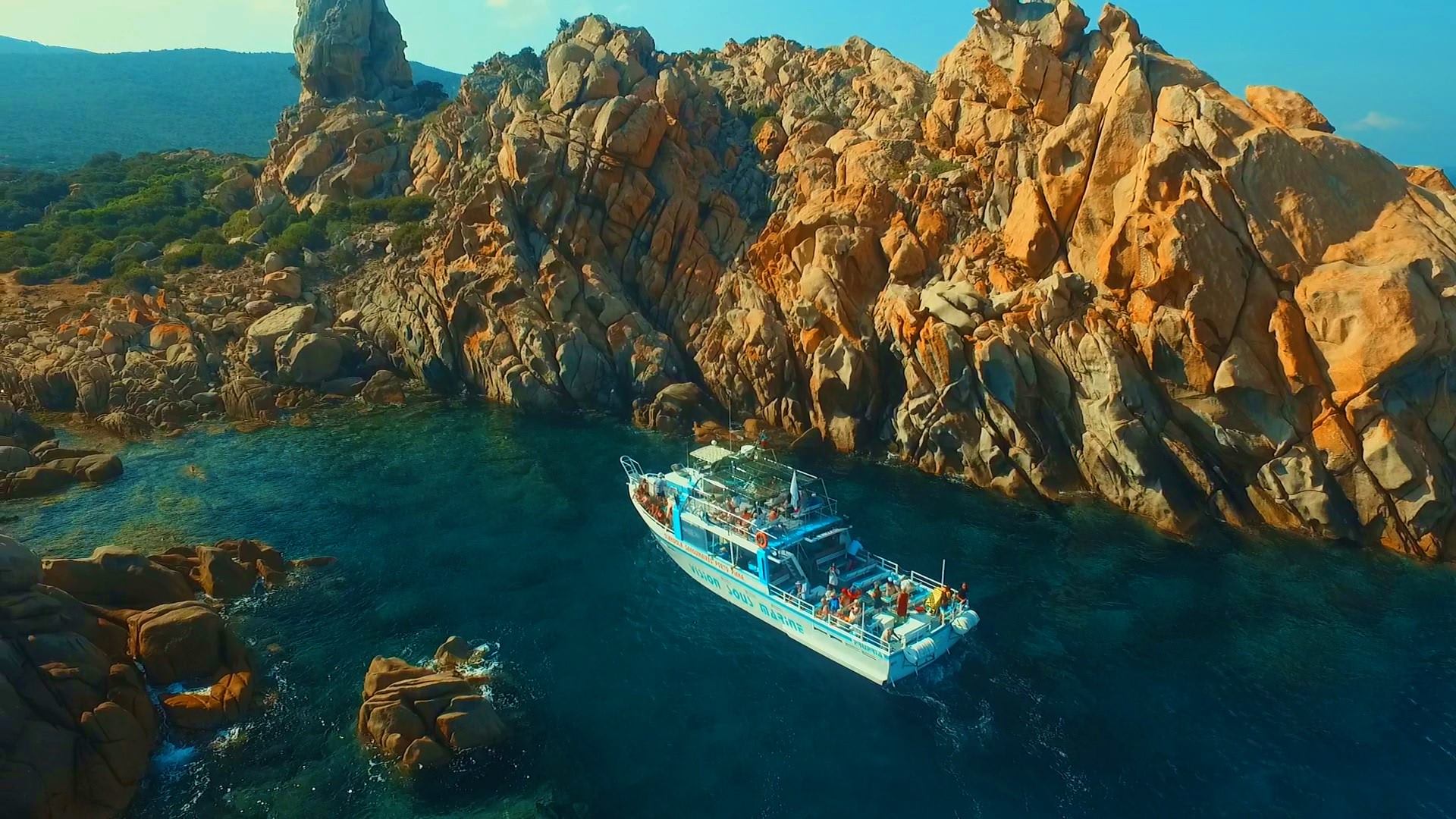
Discover the best things to do in Propriano, Corsica, from canyoning and kayaking to scuba diving, beaches and boat trips. Get practical tips and find the best outdoor adventures fo
Discover a new way to explore Europe: checkyeti and Manawa are joining forces to offer even more outdoor adventures across the continent.
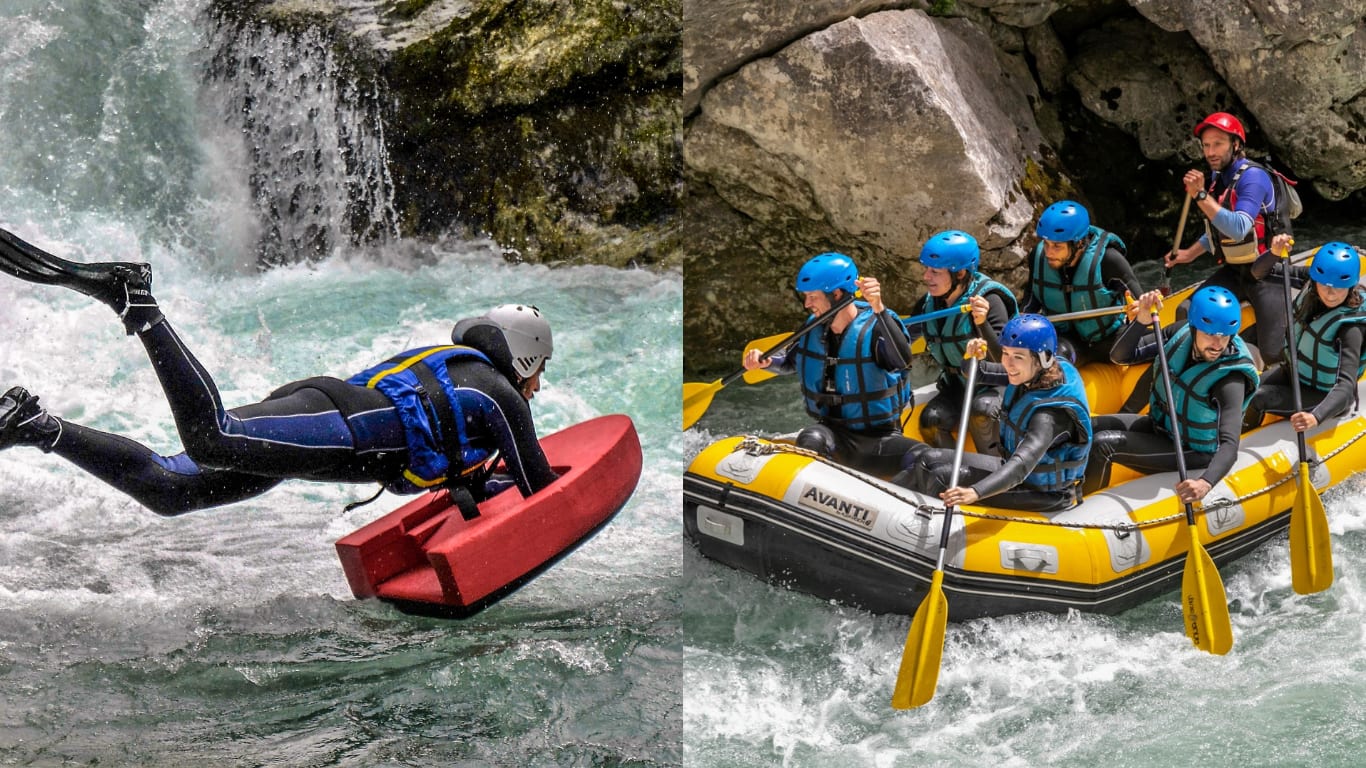
Choosing between rafting and hydrospeed for your next river trip? Discover the key differences to find your perfect whitewater match.
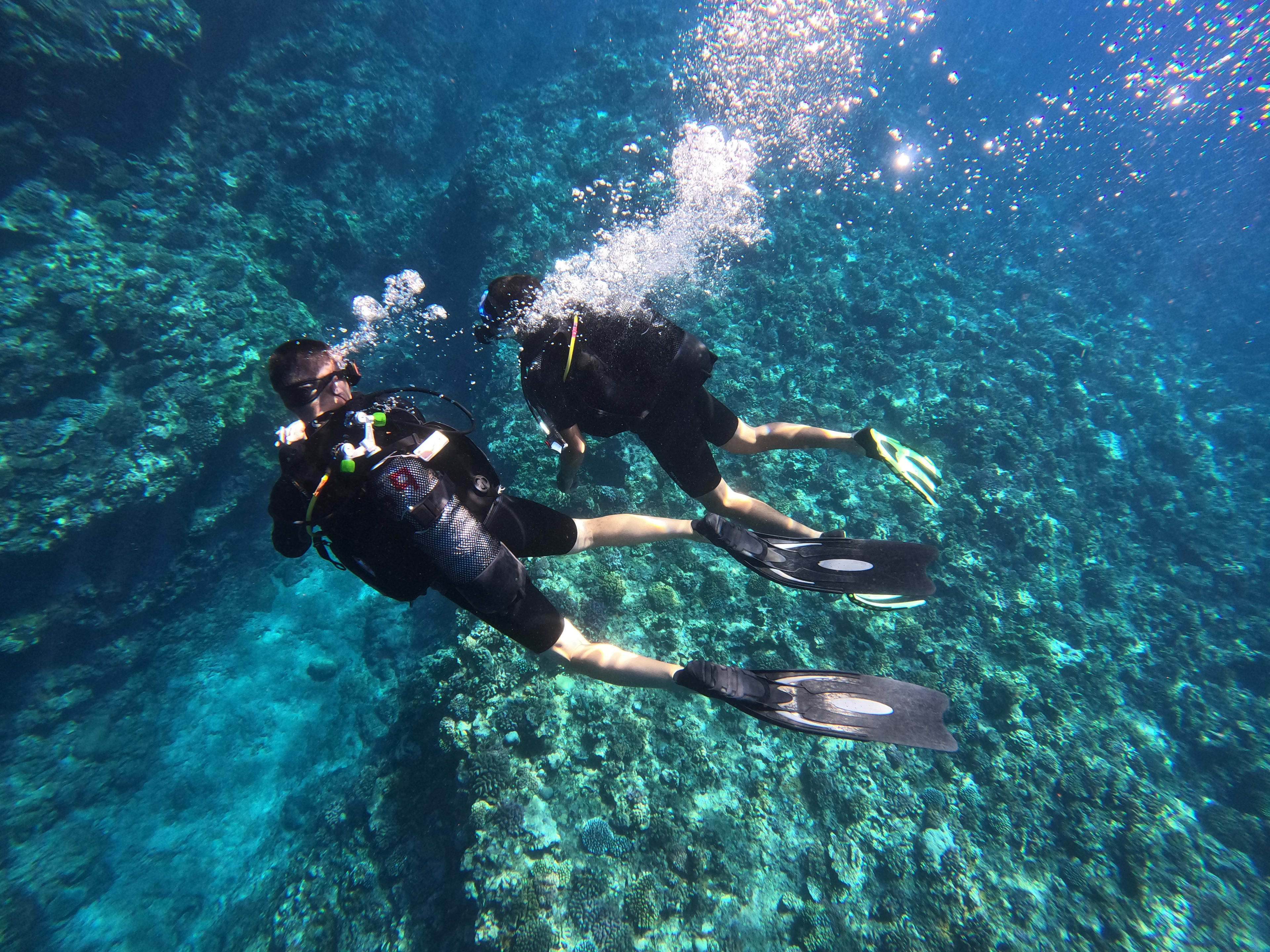
Activity couldn't go ahead? Trigger a full refund directly from your back-office in 3 clicks, no email, no waiting. The quick and complete guide.
Accept, reschedule or decline a request, and find your customers' contact details, everything you can do from the Bookings tab in your back-office, in just a few clicks.