
Corsica: The Complete Travel Guide
Plan your trip to Corsica with our complete guide covering the best places to visit, outdoor activities, itineraries, practical tips and everything you need to know before you go.

Accept, reschedule, decline, find customer contact details, everything you can do from the Bookings tab in your back-office, in just a few clicks.
Welcome to Manawa, the website for booking outdoor activities around the world. From diving to canyoning, we connect adventure enthusiasts with professional local instructors to guarantee unforgettable experiences.
API-connected partners: Your bookings land directly in your booking software. You don't need to manually validate requests. However, you can still use the Bookings tab to view your Manawa reservations and, when needed, manage cancellations, since your software doesn't push those back to Manawa.
Every booking made on Manawa comes through your back-office. This is where you'll find all your pending requests, confirmed upcoming reservations, past activity history, and your customers' contact details. This guide walks you through how to handle everything, stress-free.
Log in to backoffice.manawa.com and click on Bookings in the left-hand menu. All your reservations are organised into 4 filters:
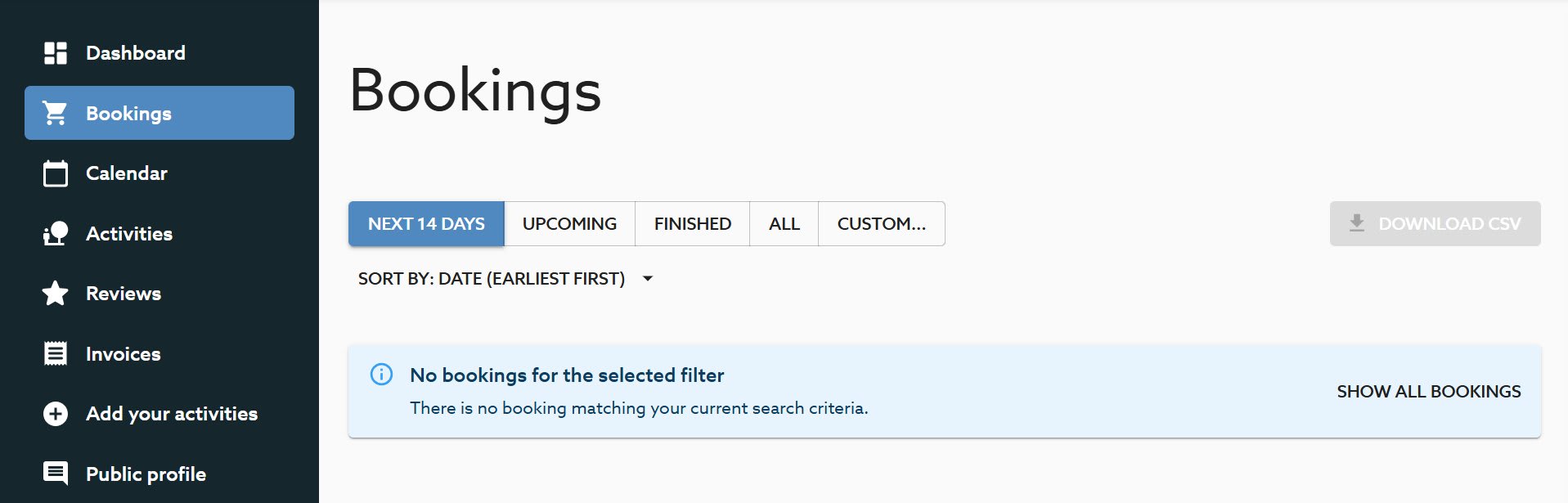
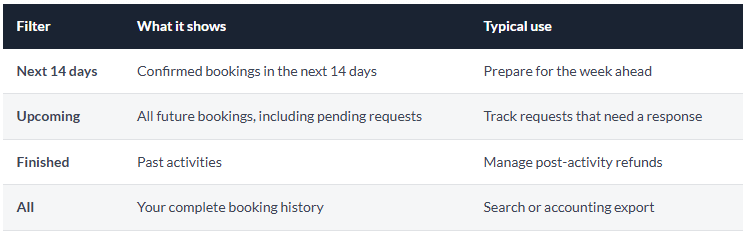
💡 Accounting tip : The Download CSV button (top right) lets you export all your bookings as an Excel file — very handy for your end-of-season accounts.
Every new booking request arrives with a Pending status. You receive an email and SMS alert as soon as a request comes in. You can respond directly from the link in the email, or from your back-office.
After 48 hours without a response, the booking may be cancelled or redirected to another partner. The faster you respond, the better for your conversion rate and your visibility on Manawa.
To access a request from the back-office:
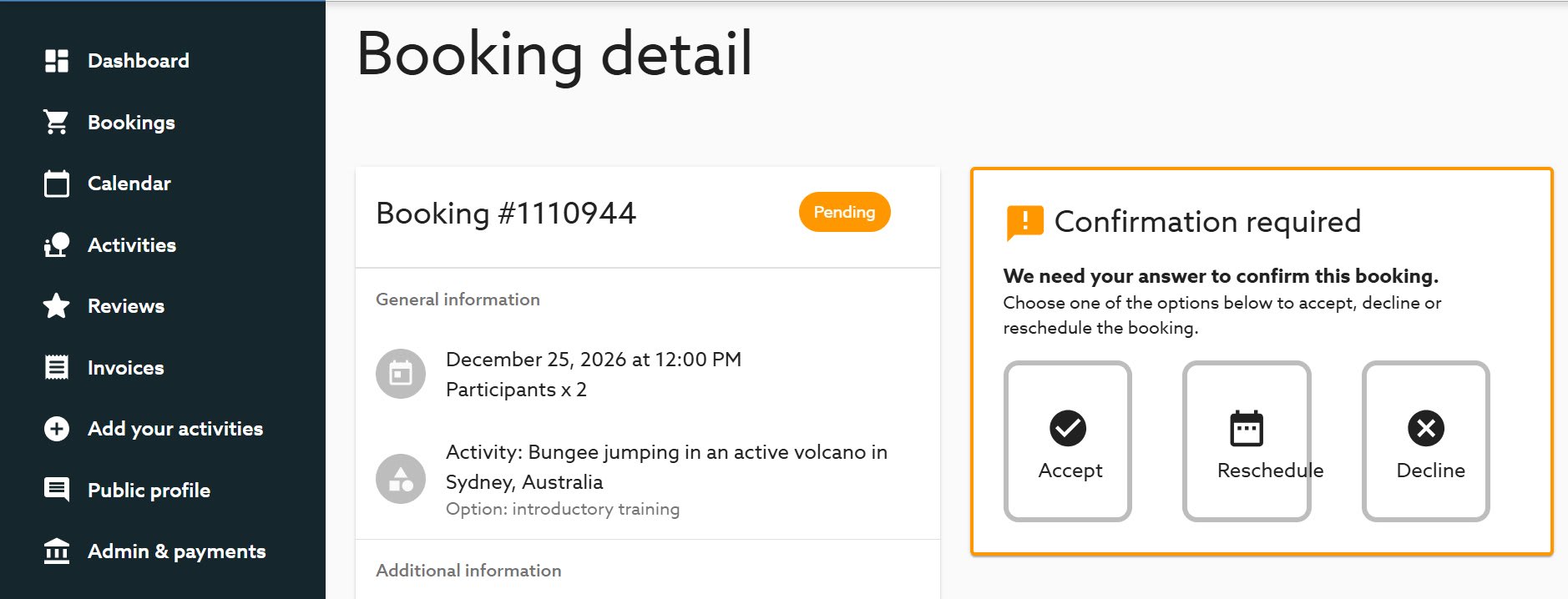
The booking is confirmed immediately. The customer receives a confirmation and you get their contact details.
You propose alternative slots. The customer chooses or declines. Ideal when the requested slot is full.
You turn down the request. Manawa support takes over with the customer. No fees apply to you.
This is the simplest option. Clicking Accept confirms the booking as requested, same date, same time, same number of participants.
✅ Good habit: Accept as early as possible. A customer who gets a quick confirmation is a reassured customer, and a reassured customer doesn't go looking for an alternative elsewhere.
Can't honour the requested slot, but you can welcome the customer at a different time? Use Reschedule to offer them alternatives.
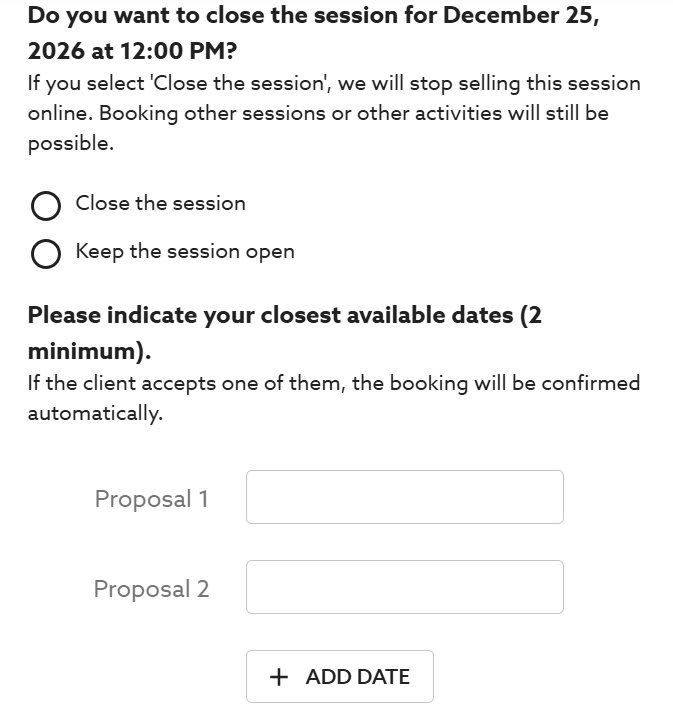
ℹ️ What happens next: The customer has 3 to 24 hours to respond (depending on how close the activity date is). If they accept one of your proposals, the booking is automatically confirmed. If they decline or don't respond in time, the case is passed to Manawa support, who takes over.
Sometimes declining is the only reasonable option, exceptional unavailability, incompatible weather conditions, a closed slot. No fees are charged if you need to turn down a request.
⚠️ Prevent rather than decline: Repeated declines on the same slot are often a sign that your Manawa calendar isn't up to date. Use the Closures and stock tool to block unavailable slots in advance, you'll avoid requests you can't honour, and protect your visibility on the platform.
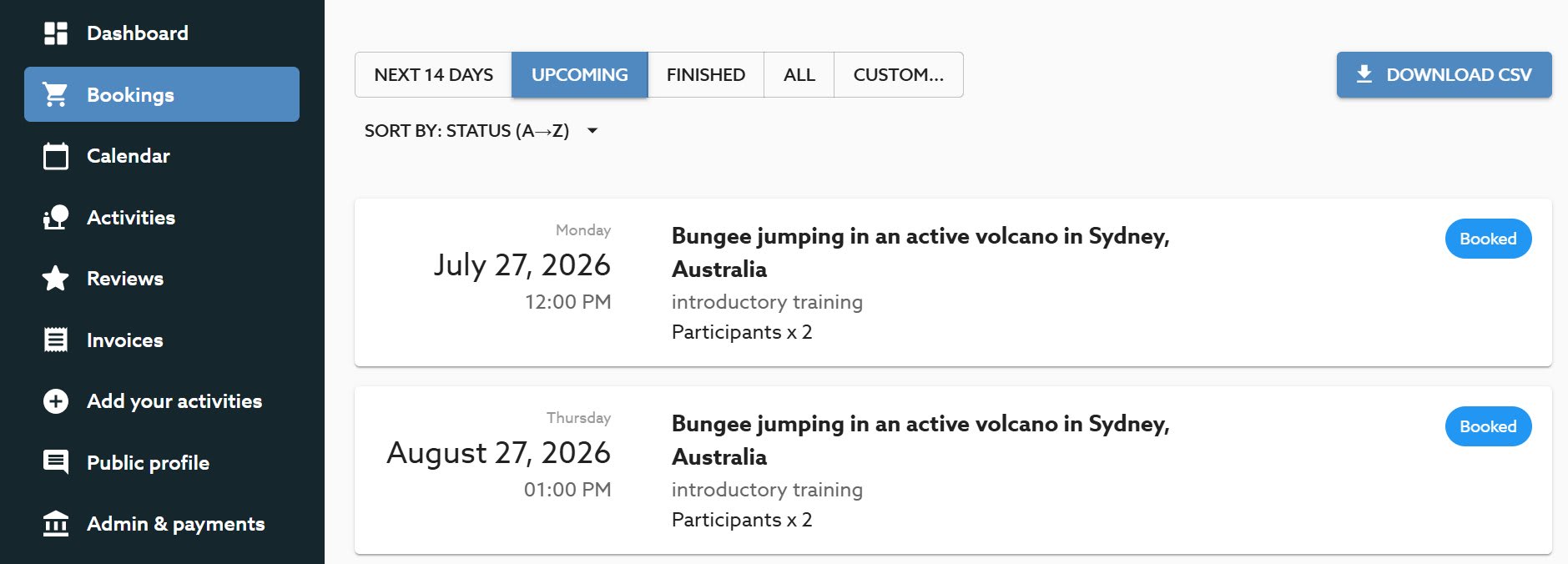
As soon as a booking is confirmed (Booked), you have access to the customer's full contact details from the Upcoming tab.
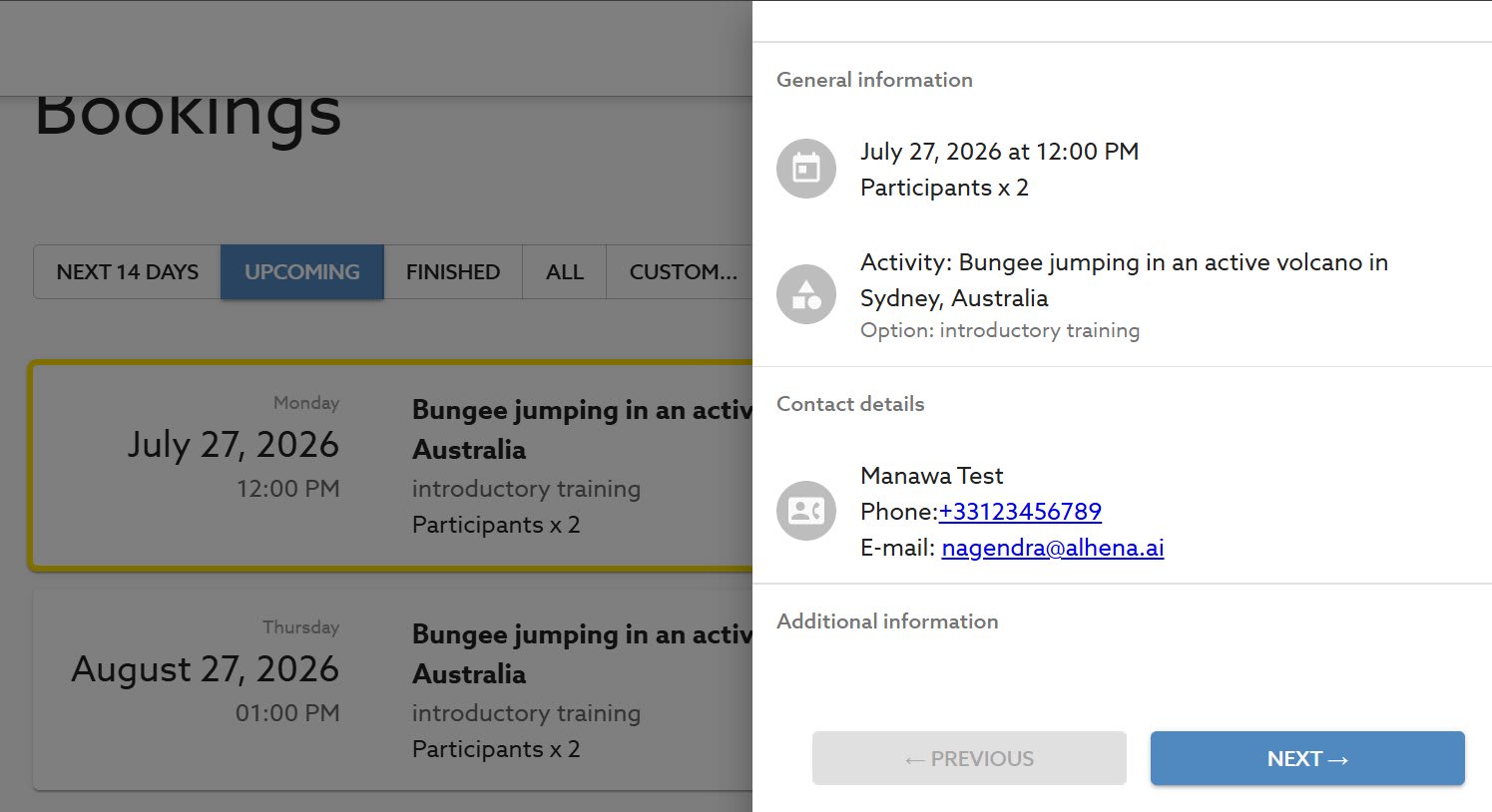
💡 Use these details: Don't hesitate to contact your customer directly to confirm the meeting point, access conditions, what to bring, or any other logistical details. A well-informed customer means a smooth activity, and a great review.
For anything related to an ongoing booking, a customer change request or an after-sales issue, contact our support team: [email protected]. For anything about your account, activities or partnership: [email protected].

Head of Supply & Outdoor Partnerships at Manawa, I am passionate about outdoor activities and dedicated to making them more accessible to convince everyone to go out and discover them!
Plan your trip to Corsica with our complete guide covering the best places to visit, outdoor activities, itineraries, practical tips and everything you need to know before you go.

Discover the best things to do in Propriano, Corsica, from canyoning and kayaking to scuba diving, beaches and boat trips. Get practical tips and find the best outdoor adventures fo
Discover a new way to explore Europe: checkyeti and Manawa are joining forces to offer even more outdoor adventures across the continent.

Choosing between rafting and hydrospeed for your next river trip? Discover the key differences to find your perfect whitewater match.

Activity couldn't go ahead? Trigger a full refund directly from your back-office in 3 clicks, no email, no waiting. The quick and complete guide.
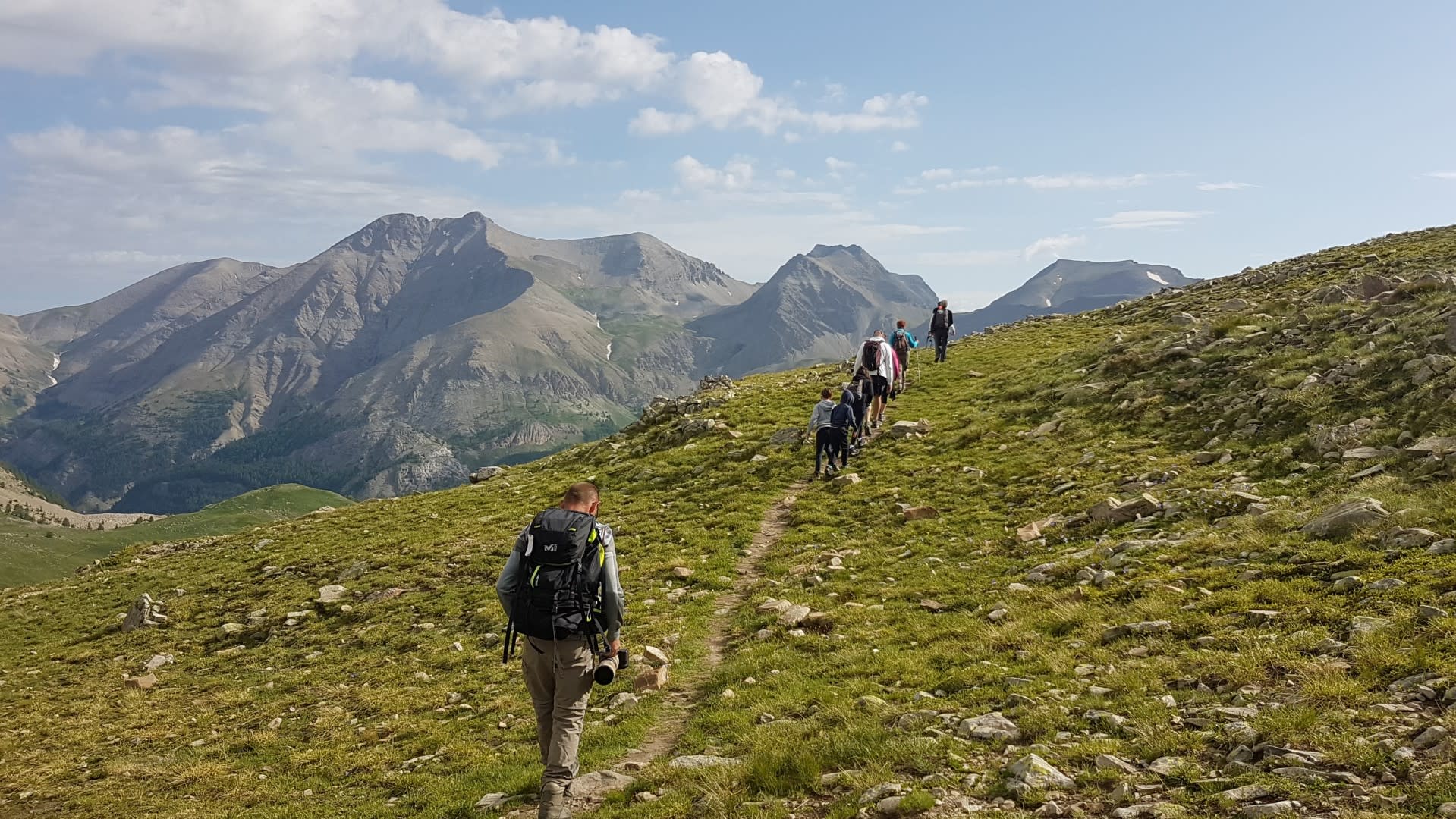
Master the hiking essentials with this complete beginner's guide. Learn how to choose the right trail, pack smart, and stay safe while exploring the best hiking spots.